Unboxing a new Apple Watch? Here is how to set up a new Apple Watch in 2026, step by step, using Apple’s own instructions. It takes about 15 minutes. You will pair it with your iPhone, choose whether to restore an old watch, set up cellular and Apple Pay, and turn on the safety and health features worth having from day one. We also cover setting up a watch for a kid who has no iPhone, and what to do if it will not pair.
What You Need
- An iPhone 11 or later on the latest iOS. Apple’s newest watches, the Apple Watch Series 12 and Ultra 4, need iOS 27. The SE 3 works with iOS 26 or later.
- Bluetooth on and your iPhone connected to Wi-Fi or cellular.
- Your Apple Account password.
- Both devices charged. Put the watch on its charger if it is low.
The current software is watchOS 27, released September 14, 2026. It runs on Series 9 or later, Ultra 2 or later, and SE 3.
How to Pair Your Apple Watch With iPhone
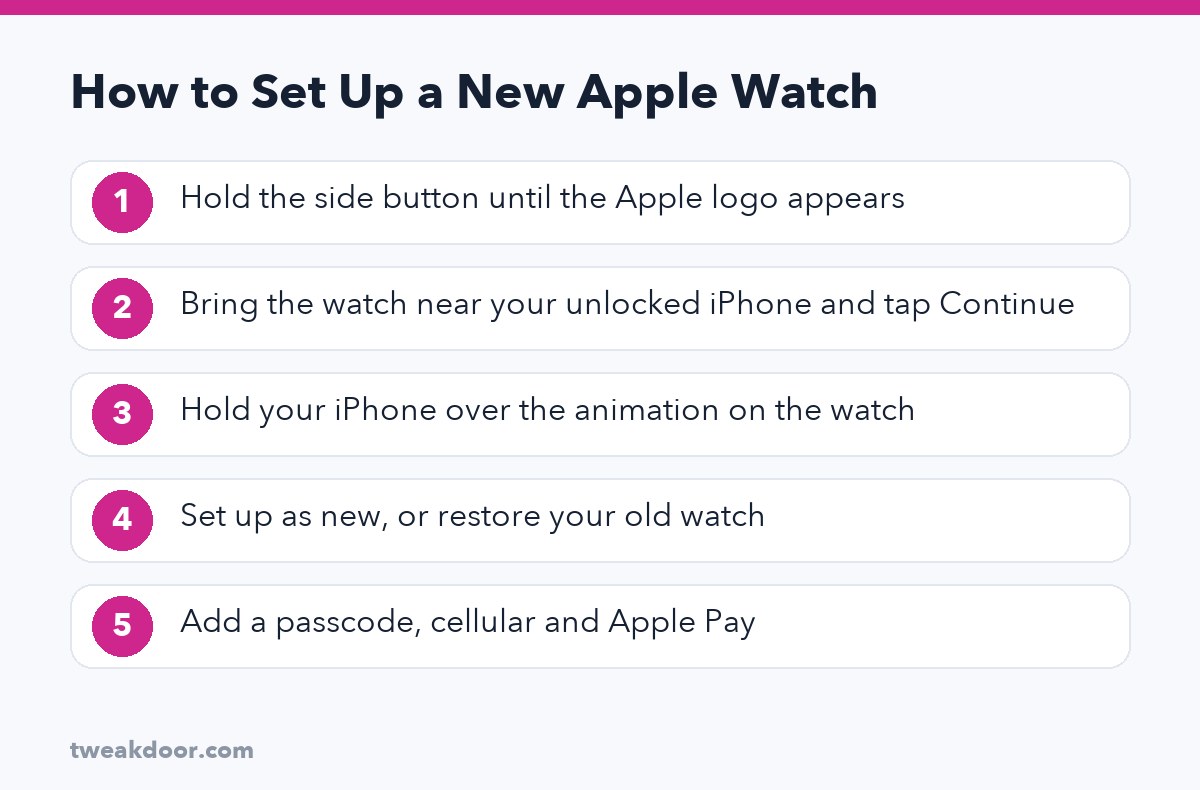
- Turn on the watch: press and hold the side button until the Apple logo appears, then put it on your wrist.
- Bring it near your unlocked iPhone. When “Use your iPhone to set up this Apple Watch” appears, tap Continue. If you do not see it, open the Apple Watch app on your iPhone, tap All Watches, then Add Watch.
- Tap Set Up for Myself.
- Hold your iPhone over the animation on the watch and center it in the viewfinder. If the camera cannot read it, tap Pair Apple Watch Manually.
- Choose new or restore: tap Set Up as New Apple Watch for your first watch. Replacing an old one? Apple’s Express Setup screen copies your old watch’s settings, or tap Customize Settings to pick a backup. The watch may need a software update first.
- Choose which wrist you wear it on, agree to the terms, and sign in with your Apple Account if asked.
- Create a passcode. It is optional, but Apple Pay needs one.
- Follow the prompts for text size, health notifications, Emergency SOS and Fall Detection, then set up cellular and Apple Pay if you want them.
- Keep both devices close while your watch finishes syncing.
Set Up Cellular (GPS + Cellular Models)
You can add cellular during pairing or later in the Watch app under My Watch > Cellular > Set Up Cellular. Apple says your iPhone and watch need to be on the same supported carrier, and your watch shares your iPhone’s phone number. Prepaid plans and some business accounts are not supported. Check your carrier at apple.com/watch/cellular.
Setting Up a Watch for a Kid or Family Member
Apple’s Apple Watch For Your Kids feature (formerly Family Setup) lets someone use an Apple Watch without their own iPhone. You manage it from your iPhone. Apple’s watchOS 27 guide says you need a cellular Apple Watch SE 3 or Series 9 or later, and the watch does not need to be on your carrier. You also need:
- Your Apple Account with two-factor authentication, plus an Apple Account for them.
- The person in your Family Sharing group, with you as organizer or parent.
During pairing, choose Set Up for a Family Member instead of Set Up for Myself. You can turn on Ask to Buy, choose trusted contacts, set a Screen Time passcode, and turn on Schooltime to limit the watch during class. Some features are not available in this mode, including Sleep tracking, ECG, Blood Oxygen and Apple Pay with credit or debit cards.
8 Things to Do First on Your New Apple Watch
- Add Apple Pay: in the Watch app on iPhone, go to My Watch > Wallet & Apple Pay and add a card. Then double-click the side button to pay.
- Check Fall Detection: go to My Watch > Emergency SOS. Apple turns it on automatically for people 55 and older. For ages 18 to 55 it is on only during workouts, but you can switch it to Always On.
- Set up Medical ID in the Health app with emergency contacts, and turn on Share During Emergency Call.
- Keep Find My on. It turns on Activation Lock, so nobody can use your watch if it is lost or stolen.
- Track your sleep and get a Sleep Score from 0 to 100, based on how long you slept, how regular your bedtime is, and how often you woke up.
- Turn on hypertension notifications if you are eligible. Apple says the feature needs Series 9 or later or Ultra 2 or later, is for adults 22 and older without a hypertension diagnosis, and looks at 30-day periods. It is not a diagnosis.
- Try Workout Buddy in watchOS 27. It gives spoken encouragement during workouts and needs an Apple Intelligence iPhone and Bluetooth headphones.
- Check your Readiness score on Series 12 or Ultra 4. It is a daily score from 0 to 10 that suggests whether to recover or go for it.
Moving Your Watch to a New iPhone
Got a new iPhone too? Apple’s advice: back up your old iPhone first (the backup includes your watch), keep both devices charged above 50%, then restore your new iPhone from that backup and open the Watch app. Our guide to transferring data to a new iPhone walks through it. If pairing stops at “Pairing Not Complete,” tap All Watches and then Finish Pairing.
Apple Watch Won’t Pair? Try This
| Problem | Fix |
|---|---|
| Watch shows a clock face, not the setup screen | It may still be paired to another iPhone. Unpair it there, or erase it in Settings > General > Reset |
| Pairing animation stuck | Hold the Digital Crown and tap Reset, then start again |
| Forgot the watch passcode | Put it on the charger, hold the side button until the power icon appears, then hold the Digital Crown and tap Reset |
| Used watch shows Activation Lock | Only the previous owner can remove it, so contact them |
| Still nothing | Update iOS, restart your iPhone, then the watch, and charge the watch |
Giving Away or Selling Your Old Watch
Unpair it from your iPhone first: open the Watch app, tap All Watches, tap the info button next to the watch, then Unpair. Your iPhone backs up the watch and removes Activation Lock when you enter your password. Apple notes that erasing on the watch alone does not remove Activation Lock.
Shopping for one? See our best Apple gifts for 2026. And if your new iPhone is an 18 Pro, check out our iPhone 18 Pro tips.
Set Up New Apple Watch: Frequently Asked Questions
Do I need an iPhone to set up an Apple Watch?
Yes. You need an iPhone 11 or later. Kids without an iPhone can use a cellular watch that a parent sets up with Apple Watch For Your Kids.
How long does Apple Watch setup take?
Usually around 15 minutes, longer if the watch needs a software update first.
Can I set up an Apple Watch without cellular?
Yes. Cellular is optional and you can add it later in the Watch app.
Why won’t my Apple Watch pair?
It may still be paired to another iPhone or need a reset. Unpair or erase it, update your iPhone, and try again.
What is the newest Apple Watch?
The Apple Watch Series 12 and Ultra 4, released in September 2026, running watchOS 27.