Apple Music’s answer to Spotify Wrapped is Apple Music Replay 2026, and it is already running. Since February 3, Replay has built a Top 100 playlist of your most-played songs that refreshes every week. In December, Apple usually unlocks the full year-end recap with your total minutes, top artists, top genres and a shareable Highlight Reel. Here is how to find Replay on your iPhone, when the full 2026 recap should arrive, and what to do if it does not show up.
Apple Music Replay 2026 Release Date
Replay 2026 has been live since February 3, 2026 as a weekly updating playlist, with monthly recaps that started with your January stats. The full year-end experience has not been announced yet. Last year, Apple made the complete Replay 2025 available on December 2, 2025, one day before Spotify Wrapped. Expect the 2026 recap around the same time in early December, though Apple has not confirmed a date.
How to Find Apple Music Replay on iPhone
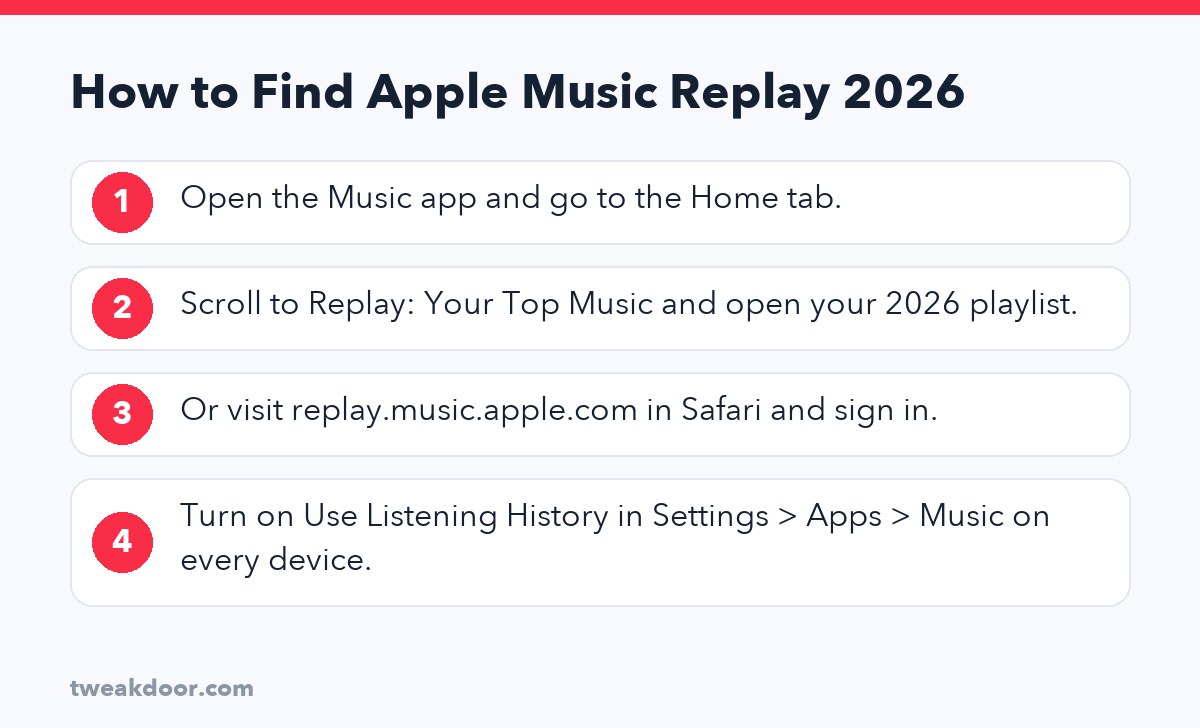
- Open the Music app and tap Home.
- Scroll to Replay: Your Top Music.
- Open your 2026 playlist, or tap Go back in time to see past years.
- Prefer the web? Go to replay.music.apple.com in Safari, sign in and tap Jump In.
What Replay Shows You
Based on last year’s full recap, the December Replay experience includes:
- Your top songs playlist for the year.
- Total minutes listened and how many artists you played.
- Top artists, albums and genres.
- Categories like Discovery, Loyalty and Comebacks.
- A Highlight Reel of images and video made for sharing on Instagram and TikTok.
Your Replay playlists from past years also stay available, along with an All Time playlist.
Apple Music Replay Not Showing? Fix It
Apple’s support page lists the requirements. If Replay is missing, check these:
- You need an Apple Music subscription on the same Apple Account.
- Turn on Use Listening History on every device you use for music. On iPhone it is in Settings > Apps > Music.
- Update iOS to the latest version. See what’s new in iOS 27.2.1.
- Listen more. Apple sends a notification when your Replay is ready, so new subscribers may need to wait.
- Be patient on launch day. New playlists can take a few hours to appear, and the recap rolls out gradually.
- Region: Replay availability varies by country.
Apple Music Replay vs Spotify Wrapped
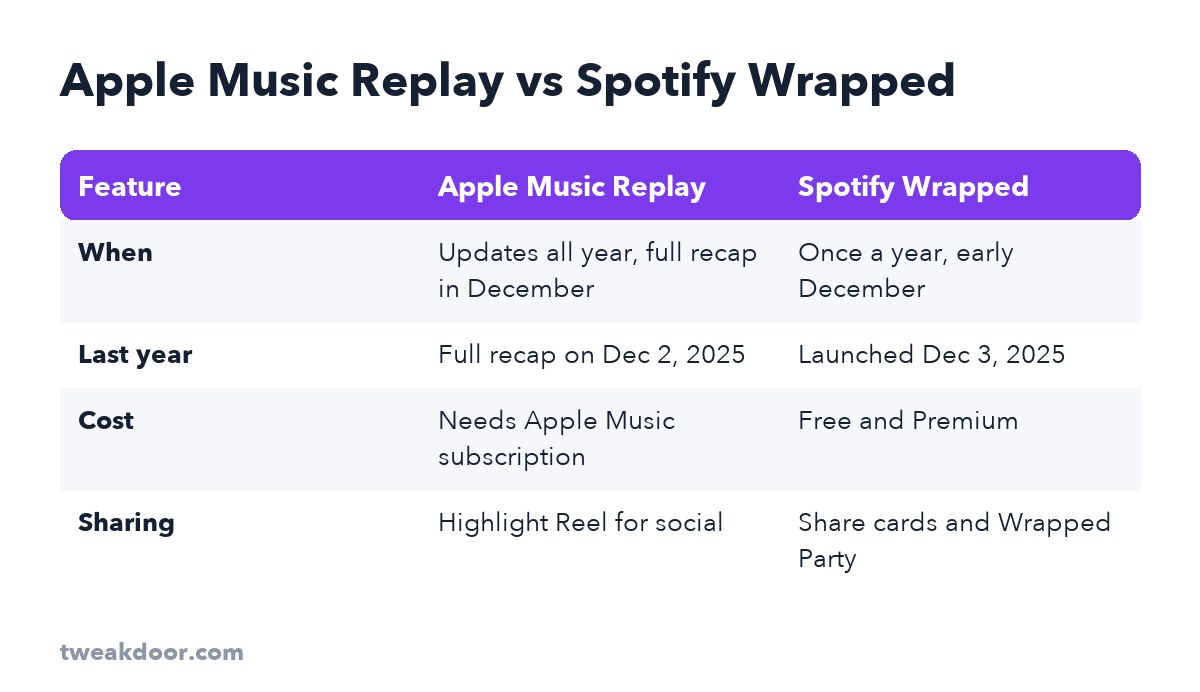
The biggest difference is timing. Spotify Wrapped is a once-a-year event, while Apple Music Replay updates every week from February and then adds a full recap in December. Wrapped is free for all Spotify users, while Replay needs an Apple Music subscription. Want the Spotify side? Read our guide to Spotify Wrapped 2026.
How to Share Your Apple Music Replay
When the full recap arrives, open your Highlight Reel and use the share button to post it to Instagram Stories, TikTok or Messages. You can also share your Replay playlist itself so friends can listen to your top songs. Tip: take a screen recording of the reel to keep a copy.
Make your Lock Screen match your music taste with a free background from our iPhone wallpapers collection.
Apple Music Replay 2026: Frequently Asked Questions
When does Apple Music Replay 2026 come out?
The weekly Replay playlist has been live since February 3, 2026. The full year-end recap is expected in early December, based on last year’s December 2 launch.
Is Apple Music Replay free?
You need an Apple Music subscription to use Replay.
Why is my Apple Music Replay empty?
Make sure Use Listening History is turned on in Settings > Apps > Music on every device, and that you have listened enough for Replay to build your list.
Can I see my Replay from past years?
Yes. Tap Go back in time in the Replay section of the Home tab to find older Replay playlists.
Does Apple Music Replay work on Android?
Yes. Apple says Replay works on the latest Android version of the Apple Music app, and on the web.