Got a text saying your package “could not be delivered” and you need to pay a small fee or update your address? It is almost certainly a scam. Package delivery scam texts are everywhere during the holidays. The FTC says fake package delivery problems were the most reported text scam of 2024, and people reported losing $470 million to scams that started with a text that year. Here is how to spot a fake USPS, UPS, FedEx or Amazon text on your iPhone, block and report it, and what to do if you already tapped the link.
How to Spot a Fake Delivery Text
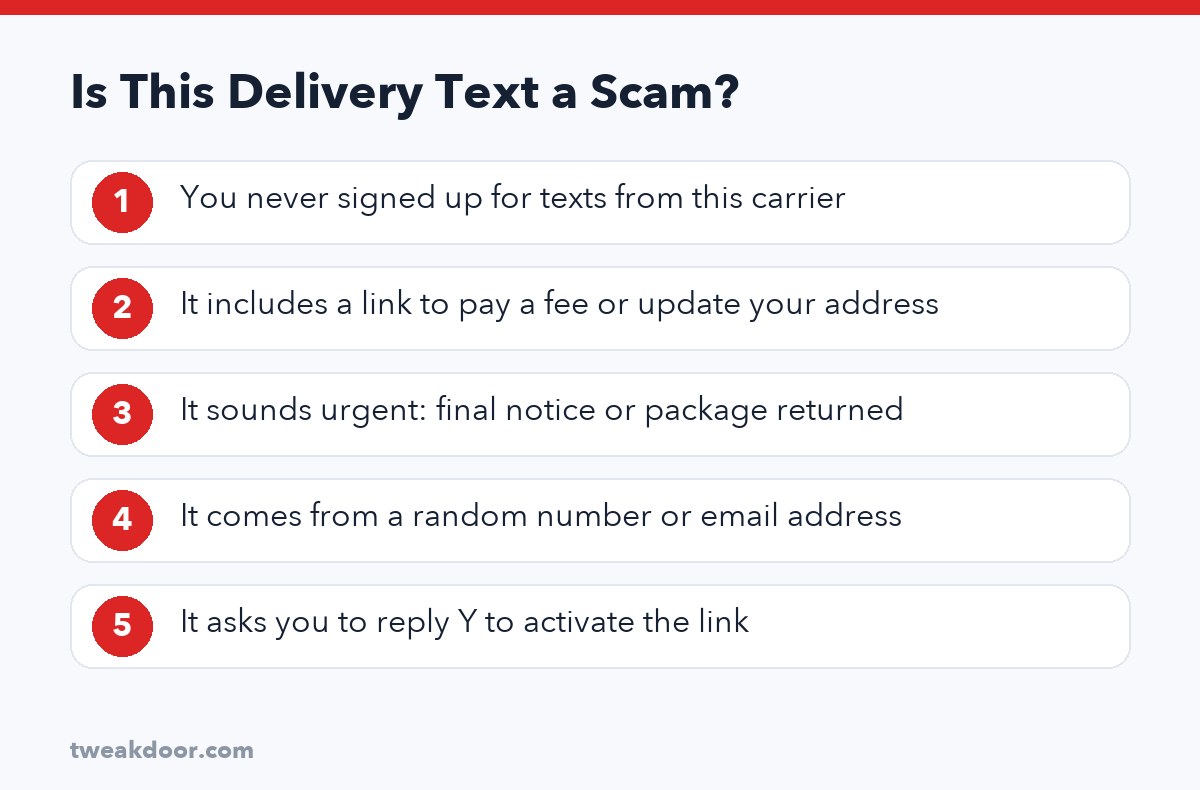
- You never signed up for texts. The US Postal Inspection Service says USPS will not text or email you unless you asked for the service first.
- It has a link. USPIS says a real USPS tracking text will not contain a link.
- It asks for money or personal details. UPS, FedEx and Amazon all say they do not ask for payment or personal information in unexpected texts. Amazon says it never asks you to pay by text or buy gift cards.
- It creates urgency: “final notice,” “package will be returned,” or “redelivery fee due today.”
- Odd sender or web address: a random phone number or email address, or a link that only looks like the real site.
- It asks you to reply “Y”. On iPhone, links from unknown senders can stay disabled until you reply or save the sender, so scammers ask you to reply to unlock them.
How to Check a Package the Safe Way
Never use the link in a text. Instead, go to the carrier’s website or app yourself, or check the order page of the store you bought from, as the FTC recommends:
- USPS: type your tracking number at usps.com. For real USPS tracking texts, text your tracking number to 28777 (2USPS) yourself.
- UPS: open a new browser window and go to ups.com.
- FedEx: go to fedex.com or call 1-800-463-3339.
- Amazon: check Your Orders and Message Center in the Amazon app.
iPhone Settings That Block Scam Texts
1. Turn on Filter Spam
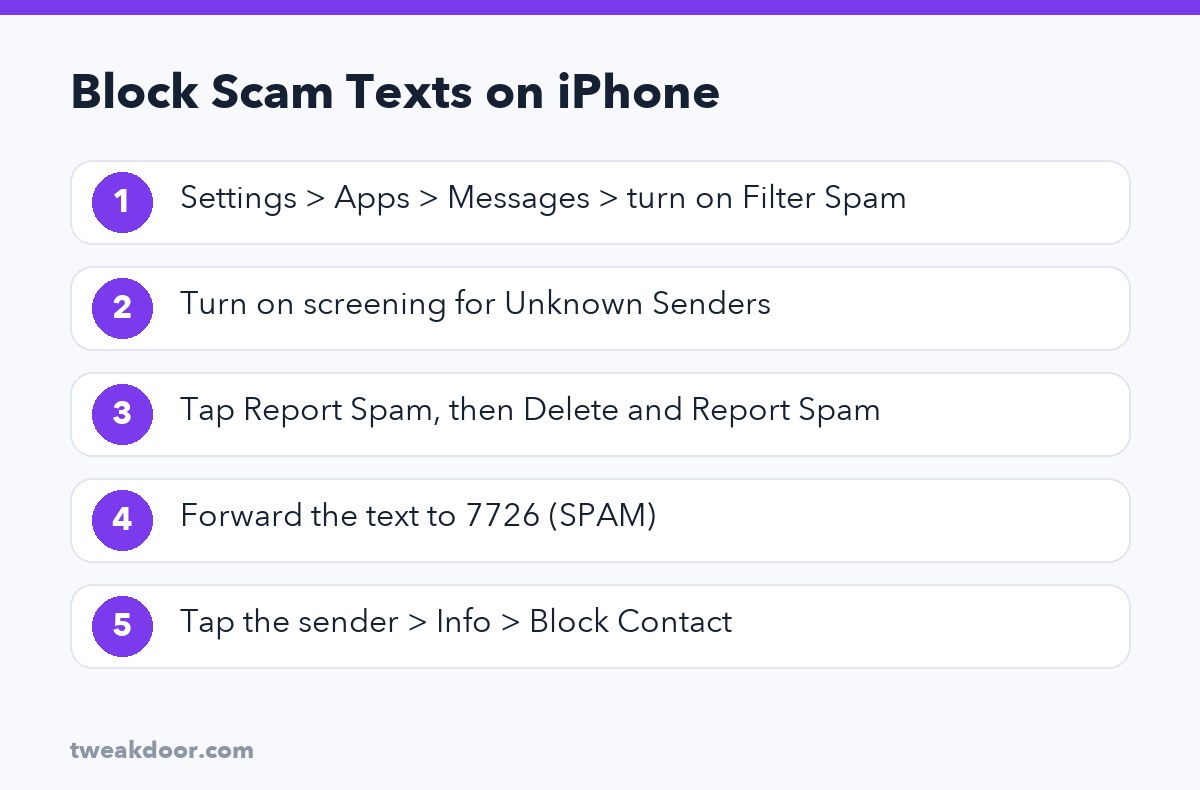
Go to Settings > Apps > Messages and make sure Filter Spam is on. Apple turns it on by default in iOS 26 and later. Apple says you cannot reply to spam messages or tap links in them until you move them to your Inbox.
2. Turn on Screen Unknown Senders
In the same Settings > Apps > Messages screen, scroll to Unknown Senders and turn on screening. Texts from numbers not in your contacts go to a separate list instead of your main inbox. This is off by default, so it is worth turning on before the holiday shipping rush.
3. Use the Text Message Filter
From Messages > Filters > Manage Filtering, you can sort unknown texts into Transactions and Promotions, so real order updates are easier to find.
4. Keep iOS updated
Apple keeps improving these filters. Make sure you are on the latest version, like iOS 27.2.1.
How to Report and Block a Scam Text on iPhone
- Report it in Messages: open the text and tap Report Spam at the bottom, then Delete and Report Spam. For a message you have not opened, swipe left, tap Delete, then Delete and Report Spam. Apple notes you cannot report a message after replying to it.
- Forward it to 7726 (SPAM). This free number helps your carrier block similar texts.
- Block the number: open the conversation, tap the sender at the top, tap Info, then Block Contact. Reporting does not block the sender, so do both.
- Report to the FTC at ReportFraud.ftc.gov.
- Fake USPS text? Copy the message text (without tapping the link) into an email to [email protected] with a screenshot that shows the sender’s number and date.
- Fake FedEx text? Send the details to [email protected]. Fake Amazon message? Use Amazon’s Report a Scam tool.
Other Scam Texts to Watch for This Season
The FTC’s top five text scams of 2024 were fake package delivery problems, fake job offers, fake fraud alerts from your bank, unpaid toll notices, and “wrong number” texts that try to start a conversation. The toll texts look like they come from E-ZPass or another toll agency and link to a fake payment page. The FBI says to check your account only on the toll service’s real website and report the text at ic3.gov.
Already Tapped the Link? Do This Now
| What happened | What the FTC says to do |
|---|---|
| Entered a credit or debit card | Call your card issuer using the number on the back of the card and ask them to reverse the charge |
| Entered a password | Change it everywhere you used it and turn on two-factor authentication |
| Gave your Social Security number | Go to IdentityTheft.gov and follow the recovery plan |
| Only tapped the link | Close the page, do not enter anything, update iOS and report the text |
Watch your bank and card statements over the next few weeks, and dispute any charges you do not recognize. Shopping this week? Stick to real retailers, like the ones in our Apple Black Friday 2026 guide.
Package Delivery Scam Texts: Frequently Asked Questions
Does USPS send text messages about packages?
Only if you signed up. USPIS says USPS will not text you without a request, and its tracking texts never include a link.
What happens if I open a scam text but don’t click the link?
Just opening it is generally fine. Do not tap the link or reply. Report it as spam and delete it.
What is 7726?
It spells SPAM. Forwarding a scam text to 7726 reports it to your wireless carrier for free.
How do I stop scam texts on my iPhone?
Turn on Filter Spam and Screen Unknown Senders in Settings > Apps > Messages, and report and block each scam text.
Is the “redelivery fee” text real?
No. Carriers do not ask for surprise fees by text. Check your package on the carrier’s own website instead.